Here you will find a complete Pokédex, Tips, Guides, Charts and more! Be sure to visit the Pokémon Go Discussion Forum.
Showing posts with label Pokemon Go. Show all posts
Showing posts with label Pokemon Go. Show all posts
Wednesday, August 10, 2016

Pokemon Go
Teleport to any place in the world to catch pokemon in real time! NO BAN!
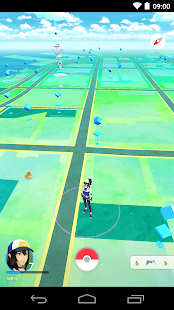
Travel between the real world and the virtual world of Pokémon with Pokémon GO for iPhone and Android devices. With Pokémon GO, you’ll discover Pokémon in a whole new world—your own! Pokémon GO is built on Niantic’s Real World Gaming Platform and will use real locations to encourage players to search far and wide in the real world to discover Pokémon. Pokémon GO allows you to find and catch more than a hundred species of Pokémon as you explore your surroundings.
Steps?- Download the archive
- Extract it
- Enter your login details in user.xml
- Change gps co ordinates to your location and save
- Run autosniper.bat
- Relax and enjoy!
- Usage
Run PokeSniper2.exe
PokeSniper2 will ask for the information it needs to snipe Pokemon. Tell it to catch * or Missingno to catch all Pokemon it can find.
If you use PokeSniper2 frequently, edit the included user.xml to quickly load your info.
For the best chance to not be found cheating, edit device.xml with information from your actual device you use with the PokemonGo App.
Where to find Pokemon to snipe? Visit PokeSnipers
More ways to use PokeSniper2:
Example Link: pokesniper2://Vaporeon/51.4877909406,-0.193884849267
(Vaporeon will be gone already by the time you click this link. But if you clicked it and PokeSniper2 opened to tell you, you know you are set to use pokesniper2:// links.)
Uses automatic ball and berry selection for the best catch chance.
Run PokeSniper2.exe
PokeSniper2 will ask for the information it needs to snipe Pokemon. Tell it to catch * or Missingno to catch all Pokemon it can find.
If you use PokeSniper2 frequently, edit the included user.xml to quickly load your info.
For the best chance to not be found cheating, edit device.xml with information from your actual device you use with the PokemonGo App.
Where to find Pokemon to snipe? Visit PokeSnipers
More ways to use PokeSniper2:
- Automatic: Run autosniper.bat to have PokeSniper2 automatically catch all Pokemon listed on PokeSnipers.
- Command Line: Run PokeSniper2.exe Pokemon Latitude Longitude (Use spaces) to have it read from the user.xml, catch the Pokemon and exit.
- Link: Run registerurl.bat, and then you can click on pokesniper2:// links to instantly open PokeSniper2 and catch the Pokemon given in the link.
Example Link: pokesniper2://Vaporeon/51.4877909406,-0.193884849267
(Vaporeon will be gone already by the time you click this link. But if you clicked it and PokeSniper2 opened to tell you, you know you are set to use pokesniper2:// links.)
Uses automatic ball and berry selection for the best catch chance.
How To Use via Pokemon Trainer Club Account?
- open user.xml
- Change <AuthType>Google</AuthType> <!-- Google/Ptc --> to <AuthType>Ptc</AuthType> <!-- Google/Ptc -->
- Save it..
Screenshot

NOTE: Sign out from your mobile before using this.
Pokemon Go Real Time Auto Sniper v2.1.11 is Here! [LATEST] [TELEPORT] [ANTI BAN]
Tuesday, August 2, 2016
10 Best Pokemon Go Tips for Beginners
Whether you are new to the Pokemon franchise or simply just new to Pokemon Go, here are 10 of the Best Tips all Pokemon Go Beginners should know. These tips include understanding Pokemon Types, Capturing, Evolution Strategies and more!New to Pokémon Go? Check out the Pokémon Go Beginner's Guide.

#1. Prepare Yourself!
Before even trying to download Pokemon Go, make sure to prepare yourself by doing some research on the game requirements. One thing you don’t want to do is get hyped for Pokemon Go, only to later find out that your device is not compatible or you don’t have enough data. Make sure to follow the three steps below before trying to download the Pokemon Go App.
Step 1. Make sure your device meets the Mobile Requirements and Specifications. This is step is critical for all Pokemon Go newcomers. If you can’t play the game, all other Tips are useless!
Step 2. Beginners should look into purchasing an extra Battery. Pokemon Go will drain a fully charged Phone after only a few hours of gameplay.
Step 3. Get a Mobile Data Plan. If you already have a Data Plan make sure to check out the Top Ways to Reduce Data Usage.

#2. Understand the Different Types of Pokemon
If you have played any other Pokemon games it is likely that you are familiar with at least some if not all of the different Pokemon Types. If you are completely new to the Pokemon franchise, there are a total of 18 different Types of Pokemon. Each Type has strengths and weaknesses against certain other Types in battle. For example, Fire is strong against Grass, Grass is strong against Water and Water is strong against Fire.
Pokemon Beginner’s should familiarize themselves with all Pokemon Types to help provide that extra advantage in battle.

#3. Capture all Nearby Pokemon
Pokemon Beginner’s should familiarize themselves with all Pokemon Types to help provide that extra advantage in battle.
#3. Capture all Nearby Pokemon
Some new players may choose not to capture a nearby Pokemon for a variety of reasons. Some of reasons for avoiding Pokemon may include:
- Personal preference. Not all players love Magikarp...
- Personal preference. Not all players love Magikarp...
- That particular species of Pokemon has already been captured.
- Player may be running low on Pokeballs. (May be a very legitimate reason, but standard Pokeballs are easy to obtain).
- Player may have too many of that Pokemon already.

However, before you decide to disregard a nearby Pokemon, take the following into consideration:
- Capturing Pokemon will reward you with XP. If it is your first time capturing a certain Pokemon you will get an added XP bonus.
- You will be credited with Candy for each Pokemon you capture. Even if you release the Pokemon, you still get credited with Candy. Assuming that the Pokemon has an Evolution Line.
Note: Getting enough Candy is very important in Pokemon Go. Evolved Pokemon are usually much more powerful than Wild Pokemon of the same species. For example, a Charmeleon evolved from a Charmander will be much stronger than a Charmeleon caught in the wild. Evolutions result in a substantial boost in CP.
 #4. Know the Candy Requirements
- You will be credited with Candy for each Pokemon you capture. Even if you release the Pokemon, you still get credited with Candy. Assuming that the Pokemon has an Evolution Line.
Note: Getting enough Candy is very important in Pokemon Go. Evolved Pokemon are usually much more powerful than Wild Pokemon of the same species. For example, a Charmeleon evolved from a Charmander will be much stronger than a Charmeleon caught in the wild. Evolutions result in a substantial boost in CP.

Pokemon will have different Candy requirements in Pokemon Go. For example, Bulbasaur may need 25 Candy to evolve into Ivysaur, and Rattata may need 25 Candy to evolve into Raticate. Magikarp needs 400 Candy to evolve into Gyarados!

This may already be common knowledge even among beginners, but visiting Pokestops in Pokemon Go is one of the best ways to obtain Pokeballs, Eggs and other items such as Potions and Revives. As you travel, make sure to pay close attention to your mini-map in order to find nearby Pokestops.

Beginner's Guide
Leveling Guide for Beginners
9 Best Battery Saving Tips
Quick Tips for Capturing Evolving & Battling (Video)
Pokemon Go Glossary (Terms and Descriptions)
10 Best Pokémon Go Tips for Beginners
Monday, August 1, 2016

Pokemon Go
Play Pokemon GO on Android Below 4.4 KitKat and Fix Parsing Error While Installing.
Travel between the real world and the virtual world of Pokémon with Pokémon GO for iPhone and Android devices. With Pokémon GO, you’ll discover Pokémon in a whole new world—your own! Pokémon GO is built on Niantic’s Real World Gaming Platform and will use real locations to encourage players to search far and wide in the real world to discover Pokémon. Pokémon GO allows you to find and catch more than a hundred species of Pokémon as you explore your surroundings.
Steps?
- Download APK Editor Pro & Pokemon GO Apk [Link Given Below]
- Install APK Editor Pro.
- Open APK Editor Pro >Select an Apk File>Pokemon GO APK>Full EDIT>Manifest
- Search For 23
- Change minSdkVersion="19" to minSdkVersion="14" and Then Save.
- Install The Modded APK and Enjoy !
Screenshot
Note :19 and 14 and API Level OF Android KitKat and Ice Cream Sandwich Respectively More are Given Below
The code names match the following version numbers, along with API levels and NDK releases provided for convenience:
| Code name | Version | API level |
|---|---|---|
| Marshmallow | 6.0 | API level 23 |
| Lollipop | 5.1 | API level 22 |
| Lollipop | 5.0 | API level 21 |
| KitKat | 4.4 - 4.4.4 | API level 19 |
| Jelly Bean | 4.3.x | API level 18 |
| Jelly Bean | 4.2.x | API level 17 |
| Jelly Bean | 4.1.x | API level 16 |
| Ice Cream Sandwich | 4.0.3 - 4.0.4 | API level 15, NDK 8 |
| Ice Cream Sandwich | 4.0.1 - 4.0.2 | API level 14, NDK 7 |
| Honeycomb | 3.2.x | API level 13 |
| Honeycomb | 3.1 | API level 12, NDK 6 |
| Honeycomb | 3.0 | API level 11 |
| Gingerbread | 2.3.3 - 2.3.7 | API level 10 |
| Gingerbread | 2.3 - 2.3.2 | API level 9, NDK 5 |
| Froyo | 2.2.x | API level 8, NDK 4 |
| Eclair | 2.1 | API level 7, NDK 3 |
| Eclair | 2.0.1 | API level 6 |
| Eclair | 2.0 | API level 5 |
| Donut | 1.6 | API level 4, NDK 2 |
| Cupcake | 1.5 | API level 3, NDK 1 |
| (no code name) | 1.1 | API level 2 |
| (no code name) | 1.0 | API level 1 |
Downloads & Links
If you have any problems on this or found a bug, comment below. Cheers ツ
[Guide] Play Pokemon GO on Android JellyBean and Below and Fix Parsing Error While Installing it on Android Below 4.4 KitKat
Saturday, July 30, 2016

PokeDetector
Instant notifications for when anything appears within catching range – never miss a rare one again!
PokeDetector lets you keep your phone in your pocket while you Poke-hunt!
The PokeDetector will also show notifications on you Android Wear device (if one is connected). It works fine without it though!
Features
• Get notifications whenever anything comes within catching distance
• View nearby Pokemon on the map
• Looks great on Android Wear (but works without it too)
• Get notifications whenever anything comes within catching distance
• View nearby Pokemon on the map
• Looks great on Android Wear (but works without it too)
PokeDetector is in active development, and I’ll be adding tons of new features of the coming days & weeks.
Coming Soon
• Customizable to only receive notifications for specific items
• Customizable scanning times (scan more/less frequently)
If you have feedback/suggestions, please email me!
• Customizable to only receive notifications for specific items
• Customizable scanning times (scan more/less frequently)
If you have feedback/suggestions, please email me!
Note: This is an unofficial app
What’s New
- Fixed re-login bug
- Allowed disabling of permanent status bar icon
How to Install?
- Download Apk (link below).
- On your Android device, go to settings > security > allow unknown sources.
- Find downloaded APK on your phone and install it.
- All Done. Enjoy!

PokeDetector 1.0.5 Apk is Here! [LATEST]

Pokemon Go
Is your account soft banned ? You can’t catch pokemon and receive items from pokestop ? Then You’re at the right place.
This software allows you to remove soft ban from your ‘Google’ and ‘Pokemon Trainer Club’ Account.
It takes less than a minute to unban so that you’re always ready to catch Pokemons
How To Use ?
- Download and Extract the Archive from the links given below
- Put your login details in user.xml
- Put your location co ordinates in user.xml
- Run unban.exe
- Wait for it to complete
- Done, Enjoy ;)
Screenshots


Pokemon GO Softban Remover v1.1 is Here ! [LATEST] [UNBAN YOUR ACCOUNT]
Subscribe to:
Posts (Atom)
Popular Posts
-
 WinZip Pro The world’s #1 compression software is also your one-stop file manager. Zip, protect, manage and share your files with WinZip. No...
 -
 Hatching Eggs in Pokemon Go by Sensei It is no secret that the developers behind the mobile game Pokemon Go desired for players to get ...
 -
 The following chart ranks the best Moveset of every Pokémon by Damage Per Second (DPS). This chart factors in Same Type Attack Bonus (STAB)...
 -
 Pokemon Go Teleport to any place in the world to catch pokemon in real time! NO BAN! Travel between the real world and the virtual world of...
 -
Niantic has just released the latest patch notes for Pokémon Go on August 8th. Unlike the previous update, which balanced the Power of many ...
-
 Pokemon Go Play Pokemon GO on Android Below 4.4 KitKat and Fix Parsing Error While Installing. Travel between the real world and the virtual...
 -
 In the update of Pokémon Go to version 0.35.0 (Android) and 1.5.0 (iOS) the Appraise feature became available to Trainers. This implementat...
 -
 FL Studio 12 FL Studio is a full-featured music production environment capable of multi-track audio recording, sequencing and mixing for the...
 -
 Beginner's Guide Navigation Parts 1 -3: Requirements & Key Terms Part 4: Getting Started Parts 5.1 - 5.2: Locations & Poké...
 -
 In Pokémon Go, Individual Values (IVs) are hidden stat modifiers that can range from 0 - 15. Each Pokémon has three IVs (Attack, Defense ...