Showing posts with label Hacking. Show all posts

Wednesday, August 10, 2016

Pokemon Go
Teleport to any place in the world to catch pokemon in real time! NO BAN! 
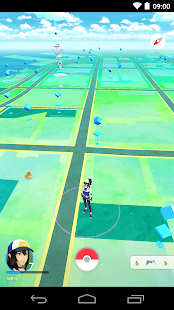
Travel between the real world and the virtual world of Pokémon with Pokémon GO for iPhone and Android devices. With Pokémon GO, you’ll discover Pokémon in a whole new world—your own! Pokémon GO is built on Niantic’s Real World Gaming Platform and will use real locations to encourage players to search far and wide in the real world to discover Pokémon. Pokémon GO allows you to find and catch more than a hundred species of Pokémon as you explore your surroundings.
Steps?
  1. Download the archive
  2. Extract it
  3. Enter your login details in user.xml
  4. Change gps co ordinates to your location and save
  5. Run autosniper.bat
  6. Relax and enjoy!
- Usage
Run PokeSniper2.exe
PokeSniper2 will ask for the information it needs to snipe Pokemon. Tell it to catch * or Missingno to catch all Pokemon it can find.
If you use PokeSniper2 frequently, edit the included user.xml to quickly load your info.
For the best chance to not be found cheating, edit device.xml with information from your actual device you use with the PokemonGo App.


Where to find Pokemon to snipe? Visit PokeSnipers

More ways to use PokeSniper2:
  • Automatic: Run autosniper.bat to have PokeSniper2 automatically catch all Pokemon listed on PokeSnipers.
  • Command Line: Run PokeSniper2.exe Pokemon Latitude Longitude (Use spaces) to have it read from the user.xml, catch the Pokemon and exit.
  • Link: Run registerurl.bat, and then you can click on pokesniper2:// links to instantly open PokeSniper2 and catch the Pokemon given in the link.

Example Link: pokesniper2://Vaporeon/51.4877909406,-0.193884849267
(Vaporeon will be gone already by the time you click this link. But if you clicked it and PokeSniper2 opened to tell you, you know you are set to use pokesniper2:// links.)

Uses automatic ball and berry selection for the best catch chance.

How To Use via Pokemon Trainer Club Account?
  1. open user.xml
  2. Change <AuthType>Google</AuthType> <!-- Google/Ptc --> to <AuthType>Ptc</AuthType> <!-- Google/Ptc -->
  3. Save it..
Screenshot
Downloads

Old Version
NOTE: Sign out from your mobile before using this.

Pokemon Go Real Time Auto Sniper v2.1.11 is Here! [LATEST] [TELEPORT] [ANTI BAN]

By: Nguyen Nguyen on: 10:17 PM

Monday, August 1, 2016

Pokemon Go
Play Pokemon GO on Android Below 4.4 KitKat and Fix Parsing Error While Installing.
Travel between the real world and the virtual world of Pokémon with Pokémon GO for iPhone and Android devices. With Pokémon GO, you’ll discover Pokémon in a whole new world—your own! Pokémon GO is built on Niantic’s Real World Gaming Platform and will use real locations to encourage players to search far and wide in the real world to discover Pokémon. Pokémon GO allows you to find and catch more than a hundred species of Pokémon as you explore your surroundings.
Steps?
  1. Download APK Editor Pro & Pokemon GO Apk [Link Given Below]
  2. Install APK Editor Pro.
  3. Open APK Editor Pro >Select an Apk File>Pokemon GO APK>Full EDIT>Manifest
  4. Search For 23
  5. Change minSdkVersion="19" to minSdkVersion="14" and Then Save.
  6. Install The Modded APK and Enjoy !
Screenshot
Note :19 and 14 and API Level OF Android KitKat and Ice Cream Sandwich Respectively More are Given Below 
The code names match the following version numbers, along with API levels and NDK releases provided for convenience:
Code nameVersionAPI level
Marshmallow6.0API level 23
Lollipop5.1API level 22
Lollipop5.0API level 21
KitKat4.4 - 4.4.4API level 19
Jelly Bean4.3.xAPI level 18
Jelly Bean4.2.xAPI level 17
Jelly Bean4.1.xAPI level 16
Ice Cream Sandwich4.0.3 - 4.0.4API level 15, NDK 8
Ice Cream Sandwich4.0.1 - 4.0.2API level 14, NDK 7
Honeycomb3.2.xAPI level 13
Honeycomb3.1API level 12, NDK 6
Honeycomb3.0API level 11
Gingerbread2.3.3 - 2.3.7API level 10
Gingerbread2.3 - 2.3.2API level 9, NDK 5
Froyo2.2.xAPI level 8, NDK 4
Eclair2.1API level 7, NDK 3
Eclair2.0.1API level 6
Eclair2.0API level 5
Donut1.6API level 4, NDK 2
Cupcake1.5API level 3, NDK 1
(no code name)1.1API level 2
(no code name)1.0API level 1
Downloads & Links

If you have any problems on this or found a bug, comment below. Cheers ツ 

[Guide] Play Pokemon GO on Android JellyBean and Below and Fix Parsing Error While Installing it on Android Below 4.4 KitKat

By: Nguyen Nguyen on: 6:05 AM

Saturday, July 30, 2016

PokeDetector
Instant notifications for when anything appears within catching range – never miss a rare one again!
PokeDetector lets you keep your phone in your pocket while you Poke-hunt!
The PokeDetector will also show notifications on you Android Wear device (if one is connected). It works fine without it though!
Features
• Get notifications whenever anything comes within catching distance
• View nearby Pokemon on the map
• Looks great on Android Wear (but works without it too)
PokeDetector is in active development, and I’ll be adding tons of new features of the coming days & weeks.
Coming Soon
• Customizable to only receive notifications for specific items
• Customizable scanning times (scan more/less frequently)
If you have feedback/suggestions, please email me!
Note: This is an unofficial app
What’s New
  • Fixed re-login bug
  • Allowed disabling of permanent status bar icon
How to Install?
  1. Download Apk (link below).
  2. On your Android device, go to settings > security > allow unknown sources.
  3. Find downloaded APK on your phone and install it.
  4. All Done. Enjoy!
Screenshots
Download Links

PokeDetector 1.0.5 Apk is Here! [LATEST]

By: Nguyen Nguyen on: 7:41 AM
Pokemon Go
Is your account soft banned ? You can’t catch pokemon and receive items from pokestop ? Then You’re at the right place.
This software allows you to remove soft ban from your ‘Google’ and ‘Pokemon Trainer Club’ Account.
It takes less than a minute to unban so that you’re always ready to catch Pokemons

How To Use ?
  1. Download and Extract the Archive from the links given below
  2. Put your login details in user.xml
  3. Put your location co ordinates in user.xml
  4. Run unban.exe
  5. Wait for it to complete
  6. Done, Enjoy ;)
Screenshots

Pokemon GO Softban Remover v1.1 is Here ! [LATEST] [UNBAN YOUR ACCOUNT]

By: Nguyen Nguyen on: 7:32 AM
Pokeradar for GO PRO
Find rare Pokémon on the map nearby or anywhere you want with this Pokeradar for GO.
This app uses GPS to find your location, to search and show where you are on the map, and therefor finding pokemons near you.

Advantages of the pro version:
  • no need to login / register!
  • no ads
  • more stability
How to Install?
  1. Download Apk (link below).
  2. On your Android device, go to settings > security > allow unknown sources.
  3. Find downloaded APK on your phone and install it.
  4. All Done. Enjoy!
Screenshots
Download Links

Pokeradar for GO PRO 1.4 Apk is Here! [LATEST]

By: Nguyen Nguyen on: 7:12 AM

Wednesday, May 18, 2016

How To Find Problems With Your Wi-Fi? [App] [Exclusive]
Facing problems with your broadband connection is a common headache that most people struggle with. The UK telecom regulator Ofcom has released a powerful app that tests your WiFi and gives you suggestions to improve your internet connection. Ofcom has made this app in collaboration with SamKnows to tell you tips for improving your broadband speed. The Ofcom WiFi checker runs quick tests from your Android or iOS device. The tests performed include diagnostic and measurement tests that identify network interference and obstacles.

STEPS : 
  1. Download the Apk given below
  2. Install normally
  3. Open the app
  4. Now, Just Tap on ‘Start Wi-Fi Checker’ and wait for results !
Screenshots
Downloads

How To Find Problems With Your Wi-Fi? [App] [Exclusive]

By: Nguyen Nguyen on: 9:14 PM

Wednesday, May 11, 2016

µTorrent Pro & Bitorrent Pro
uTorrent and BitTorrent are softwares clients allow you to quickly  download high-quality digital content such as video, music, and  games. Available in over 20 languages, it leverages our community of over 70 million users to securely deliver files to your PC faster  than anything else out there.Their features are: include detailed graphs and stats on the health  of digital media files provide you a safer, more controlled downloading experience, local peer discovery and automatic port mapping increase file transfer speed without the need to reconfigure  routers or other hardware, and dynamic bandwidth management allows  you to download content without disrupting Web browsing, e-mail, or other applications.
How To Boost Torrent Downloading Speed using Trackers list ?
  1. First Download and Install And Torrent Client like µTorrent and Bitorrent    
  2. Add Any Download.
  3. Double Click on Downloading Torrent File [Example]
  4. Now The Window Already Pop Up[Example]
  5. Click first in the box that has a blue color and there is one or two trackers already there, don't delete that trackers, just paste the new trackers list after  giving a one line space  Its should be like the image.[Example]
  6. After you successfully added the tracker in the tracker box, click the OK button to apply the changes. [Example]

New Trackers List
udp://open.demonii.com:1337

udp://coppersurfer.tk:6969/announce

udp://open.demonii.com:1337/announce

udp://9.rarbg.com:2710/announce

http://mgtracker.org:2710/announce

http://tracker.best-torrents.net:6969/announce

http://pow7.com/announce

http://inferno.demonoid.me:3414/announce

udp://11.rarbg.com/announce

http://bigfoot1942.sektori.org:6969/announce

http://bt.careland.com.cn:6969/announce

http://exodus.desync.com/announce

http://exodus.desync.com:6969/announce

http://i.bandito.org/announce

http://inferno.demonoid.com:3418/announce

http://tracker.marshyonline.net/announce

http://tracker.tntvillage.scambioetico.org:2710/announce

udp://exodus.desync.com:6969/announce

udp://tracker.openbittorrent.com:80/announce

udp://9.rarbg.com:2710/announce

udp://9.rarbg.me:2710/announce

http://i.bandito.org:80/announce

http://inferno.demonoid.com:3405/announce

http://inferno.demonoid.com:3406/announce

http://inferno.demonoid.ph:3399/announce

http://tracker.ex.ua:80/announce

udp://bttracker.crunchbanglinux.org:6969/announce

udp://sugoi.pomf.se:80/announce

udp://tracker.anime-miako.to:6969/announce

udp://tracker.glotorrents.com:6969/announce

udp://tracker.nwps.ws:6969/announce

http://tracker.tfile.me/announce
Screenshots
Downloads:

[Guide !] How to Boost Torrent Downloading Speed Using Trackers List

By: Nguyen Nguyen on: 1:56 PM


Our Team Members

Copyright © pokemon go | Designed by Templateism.com | WPResearcher.com | Blogger Templates